Change any days you want, without losing the route
One day, a stretch from a date, or any set of days: each change becomes a version of the route, made with the same editor. Every other day stays the same.
For whoever plans routes on the company web (empresas.vanu.com.uy): the owner, an administrator, or a driver working on their own.
The example
Colegio del Parque · Ida runs Monday to Friday at 07:15 with Valentina, Mateo, Sofía and Joaquín. Tomás starts riding, but only on Thursdays. The whole guide follows that case.
What a version is
Each day uses one version
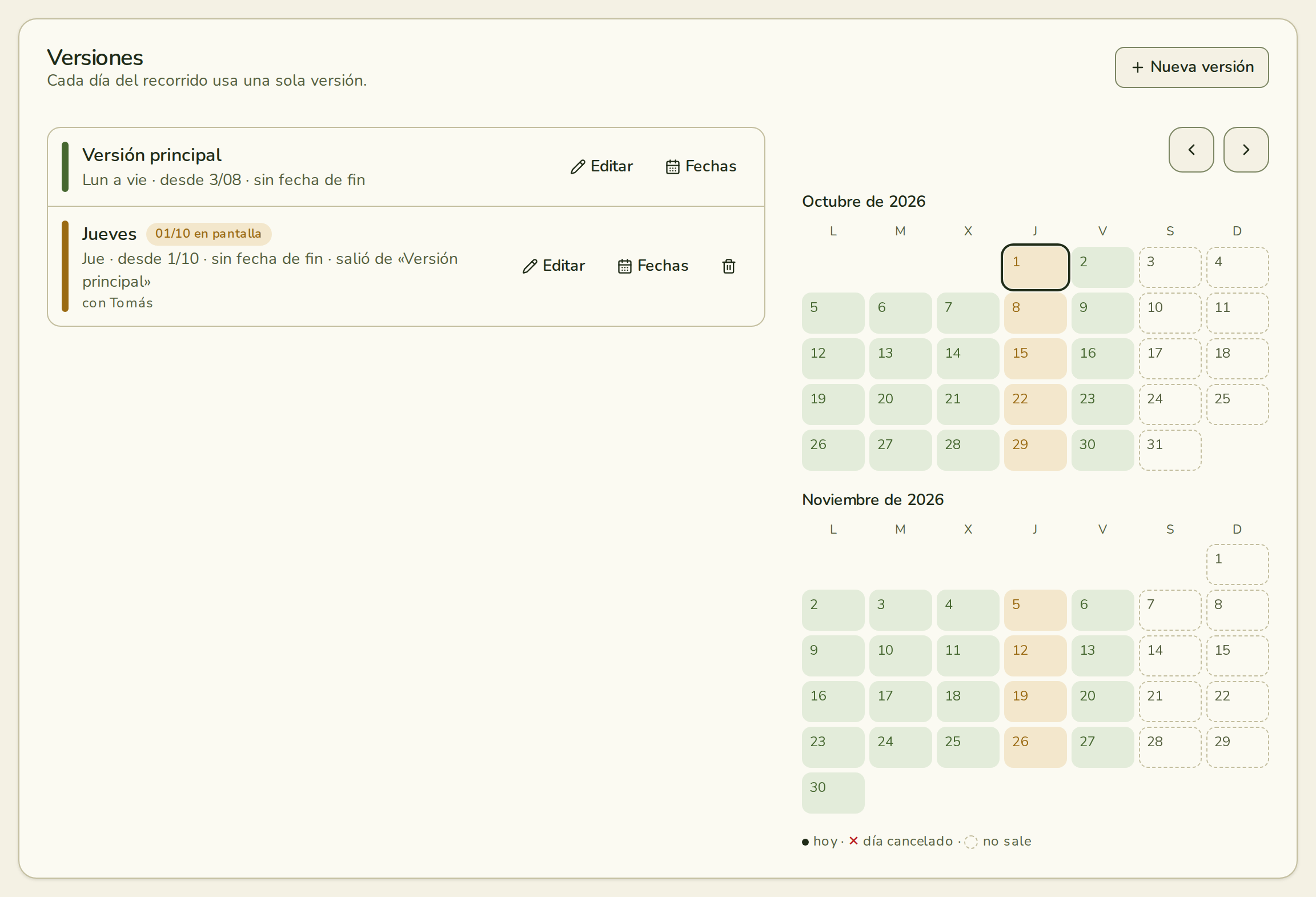
A version is the whole route (stops, order, times and departure) plus the days it is used on. While there is only one, the route page looks as it always did. Once there are more, «Versions» appears: the list on the left and, on the right, the calendar with each version's days in its colour.
And each day says which
When you pick a day, the line above its stops says which version it uses.

Any change, for the days you choose
Pick the day on the route page and use «Edit this day». The usual editor opens: anything you can change in a route you can change in a version.
Add a stop
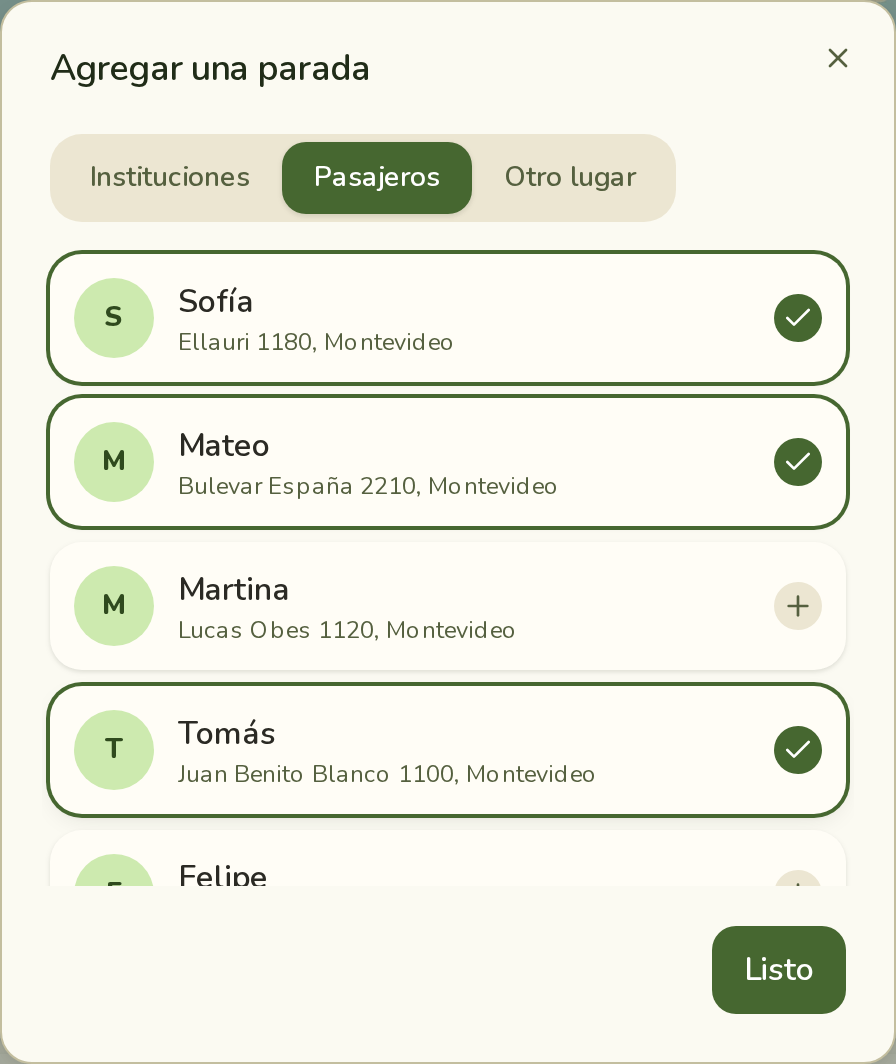
With «Add a stop», under «Passengers», you pick Tomás.
Reorder
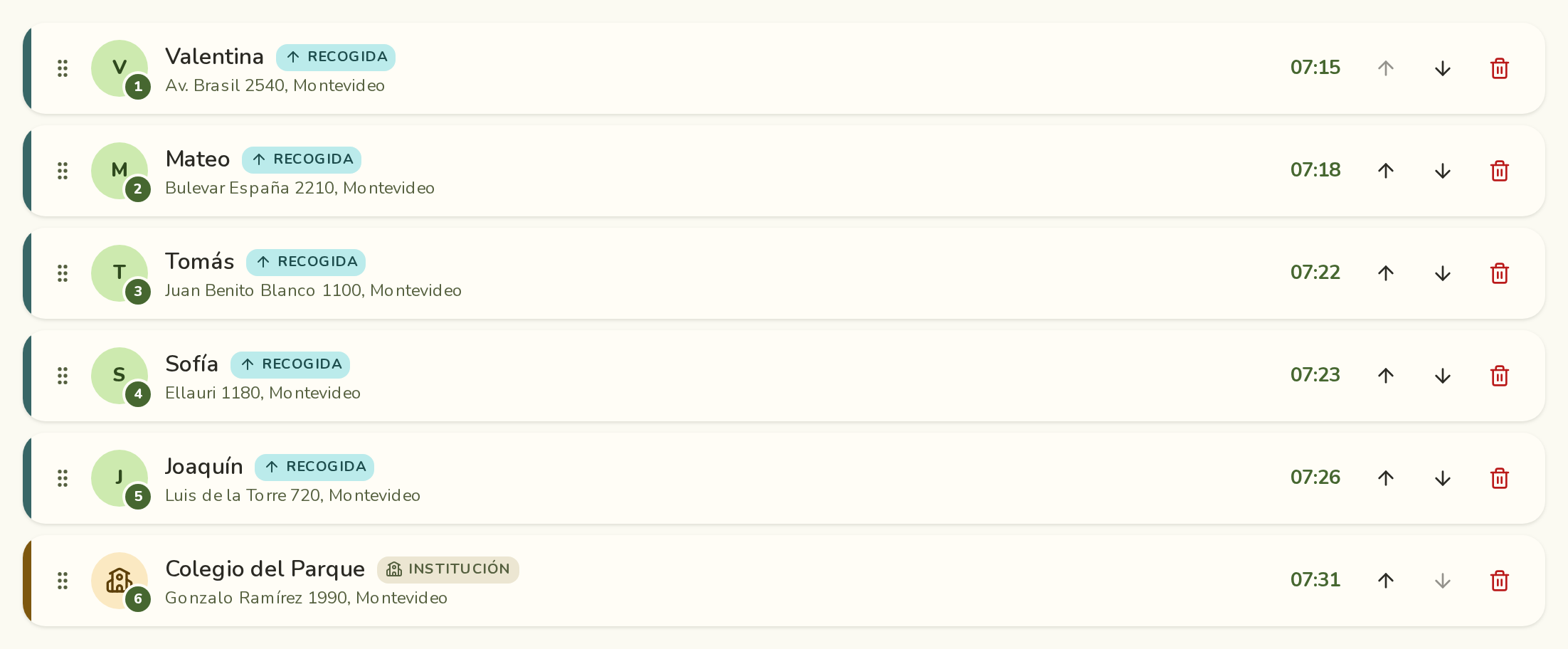
The new stop goes last. Move it up with the arrows, or drag it, to where it belongs: Tomás, between Mateo and Sofía. Times are recalculated on their own.
Remove a stop
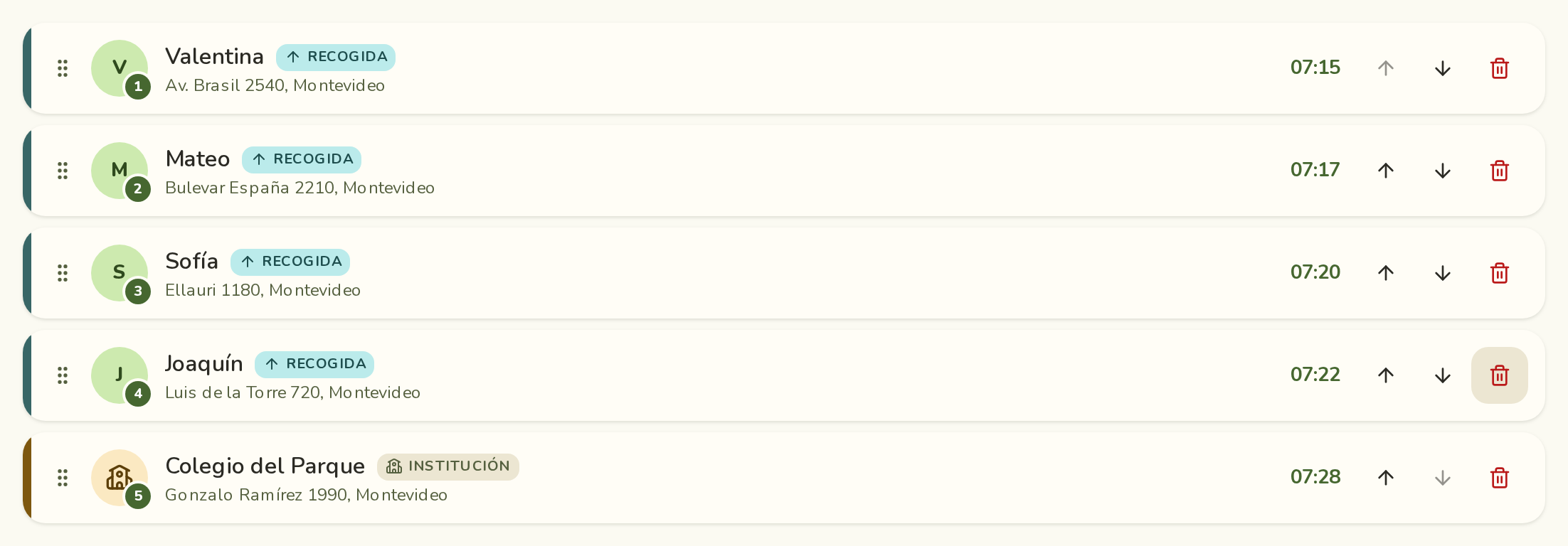
A stop's bin removes it from the days you are changing. It stays on every other day.
Change the time
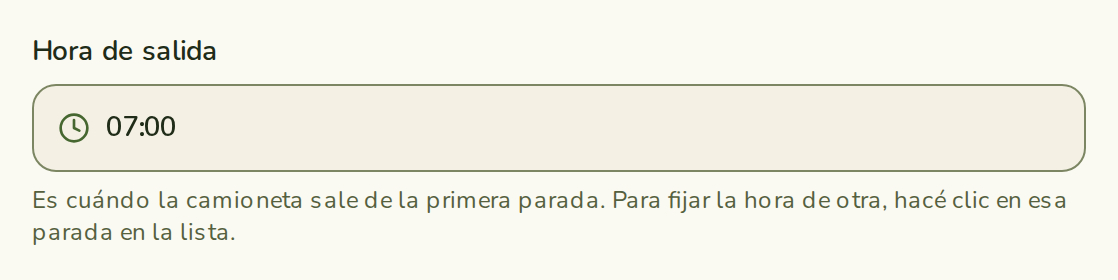
The departure time belongs to the version too, as does any stop's fixed time.
Which days does it apply to?
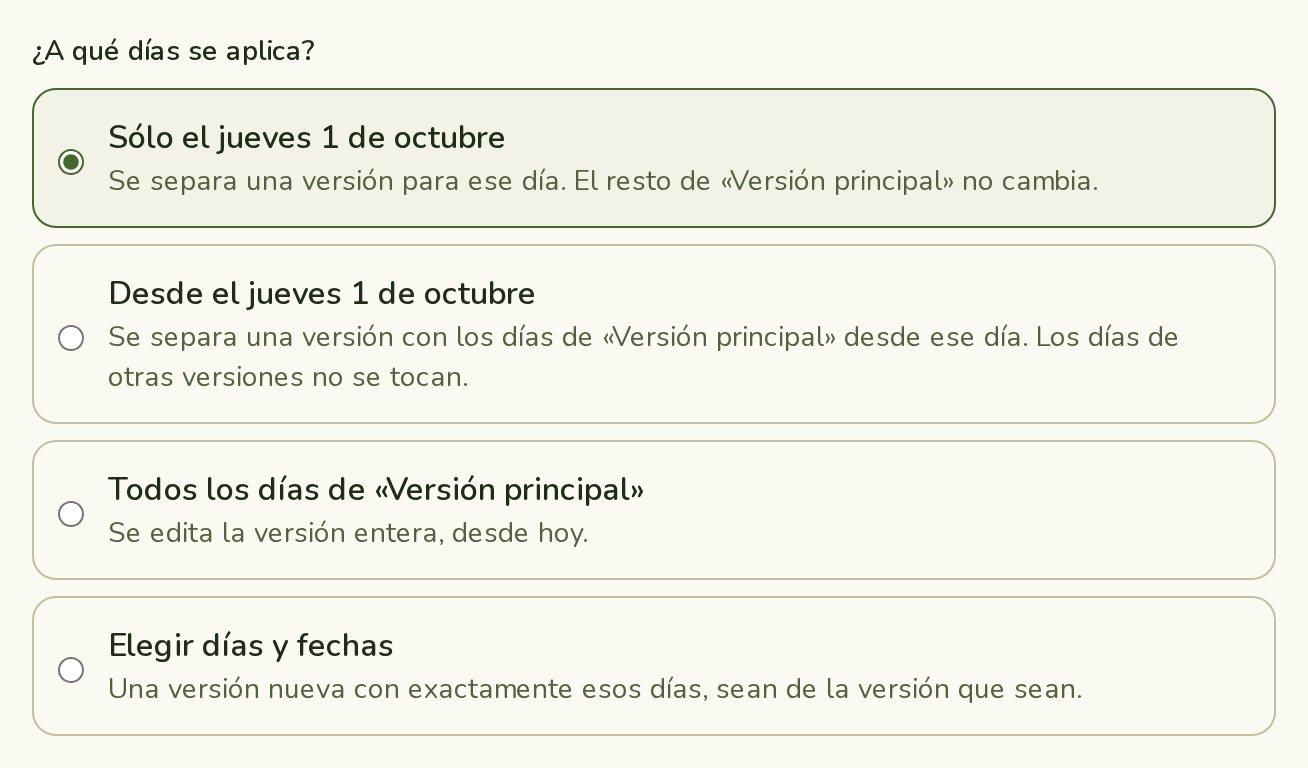
When you save, you choose how far the change goes. One day, a stretch from a day, or any days you want.
The four options
«Only …» changes that day and nothing else. «From … on» changes that day and every later day of the same version. «Every day of …» changes the whole version. «Pick days and dates» makes a version with exactly the days you mark.
Every Thursday
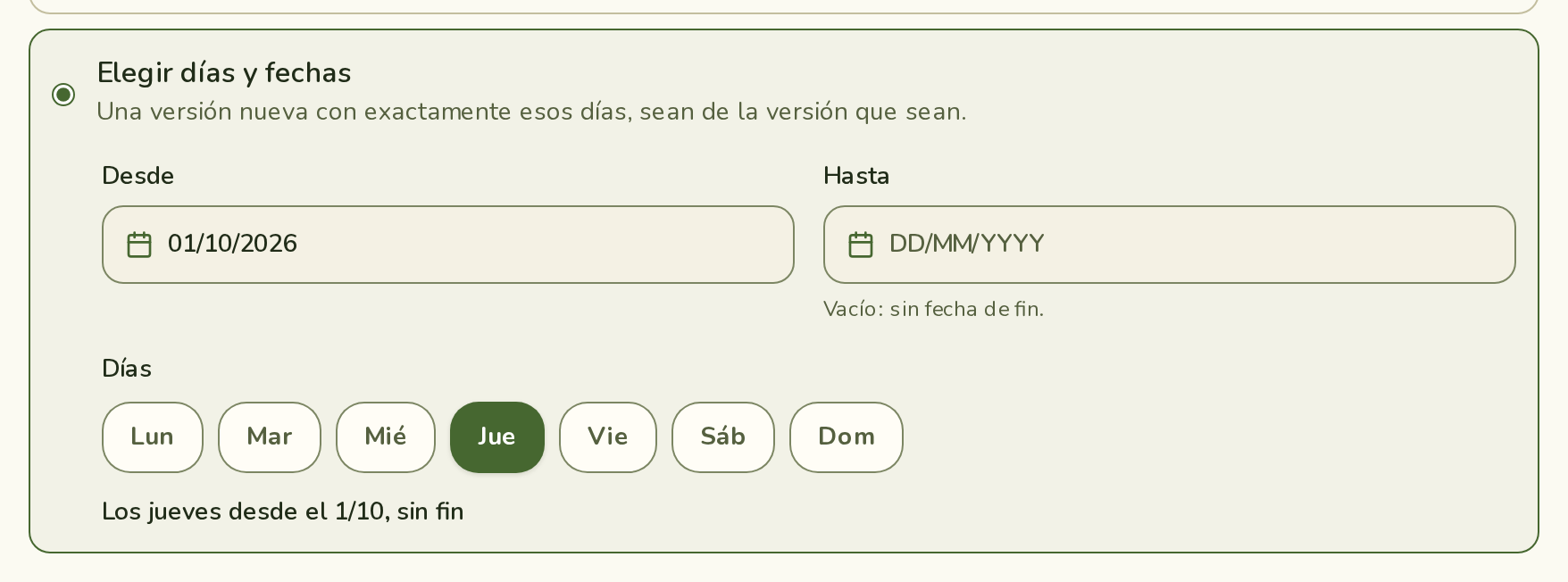
For Tomás: «Pick days and dates», from 1/10, no end date, Thursday only. Underneath it says which days that is: «Thursdays from 1/10, no end». The same way you set up a week, a month or the days of some roadworks.
New version
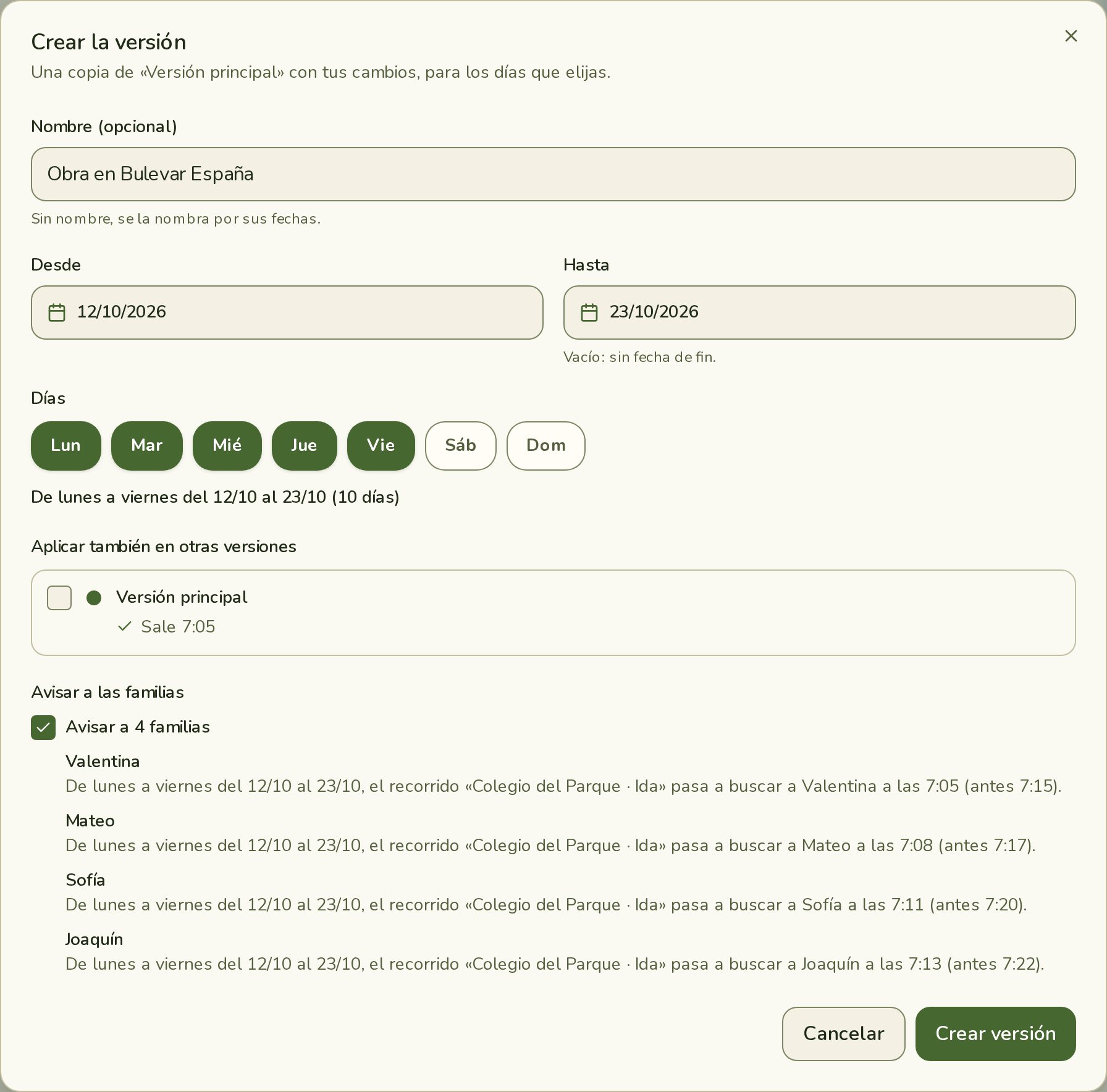
If you know the days before you edit (roadworks, a special timetable), «New version» on the route page copies a version and opens the editor. Saving asks for the days and, if you want, a name. Leave without saving and nothing is created.
Apply to other versions too
A change to one version does not reach the others on its own. When you save, the other versions are listed with what of the change would reach them, and you tick the ones to apply it to.

It comes ticked when the change adds or removes a passenger, so nobody rides on some days and not others without you knowing. With Tomás it is the other way round: he only rides on Thursdays, so you untick the main version. Left ticked, Tomás would also ride Monday to Friday.
Tell the families
Below are the families whose time moves five minutes or more, whose stop changes, or who join or leave, with the message they get. It comes ticked: saving tells them. Each family gets one message per version, not one per day.

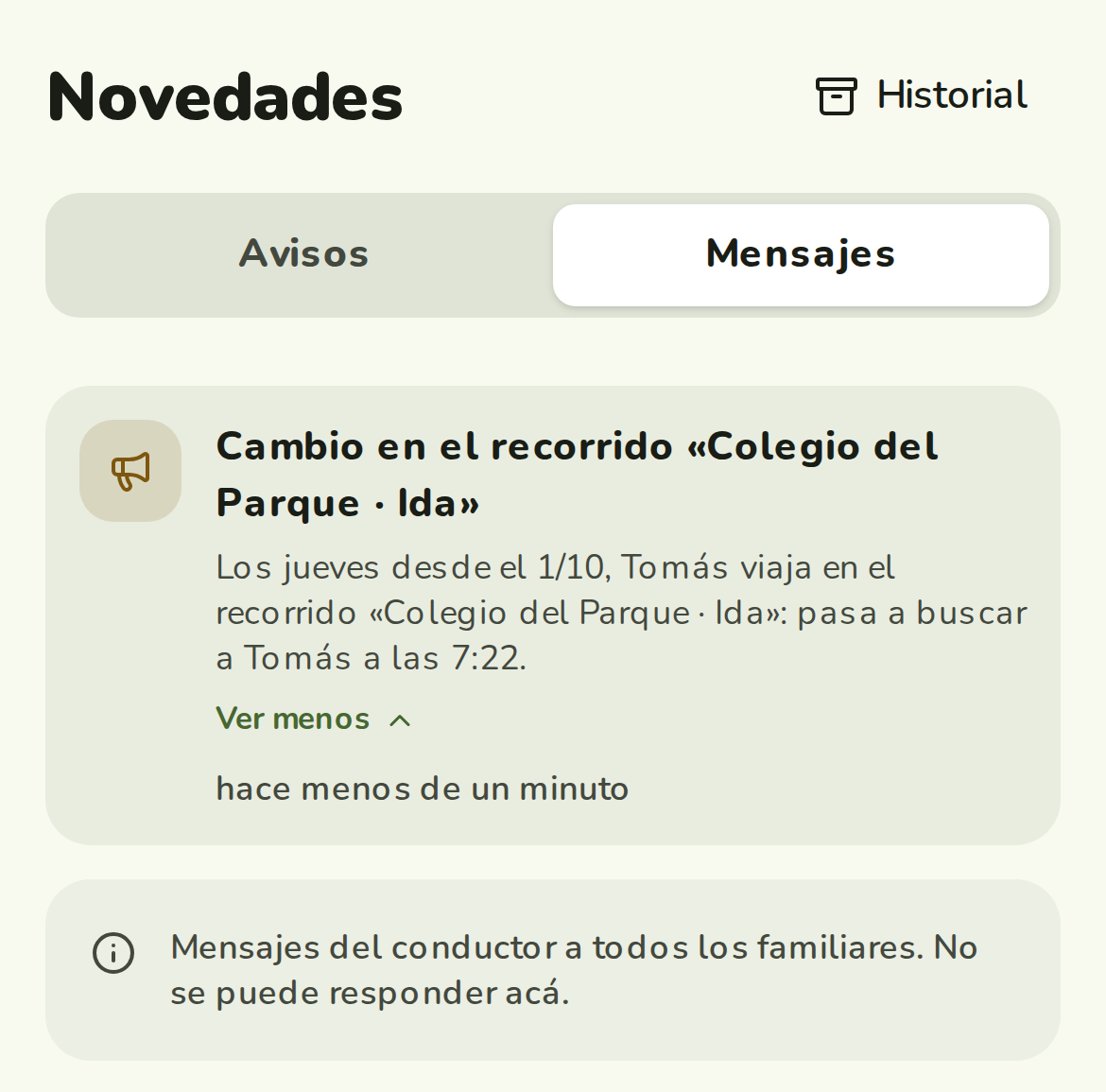
What Tomás's family sees
It arrives straight away, under News → Messages in the family app.
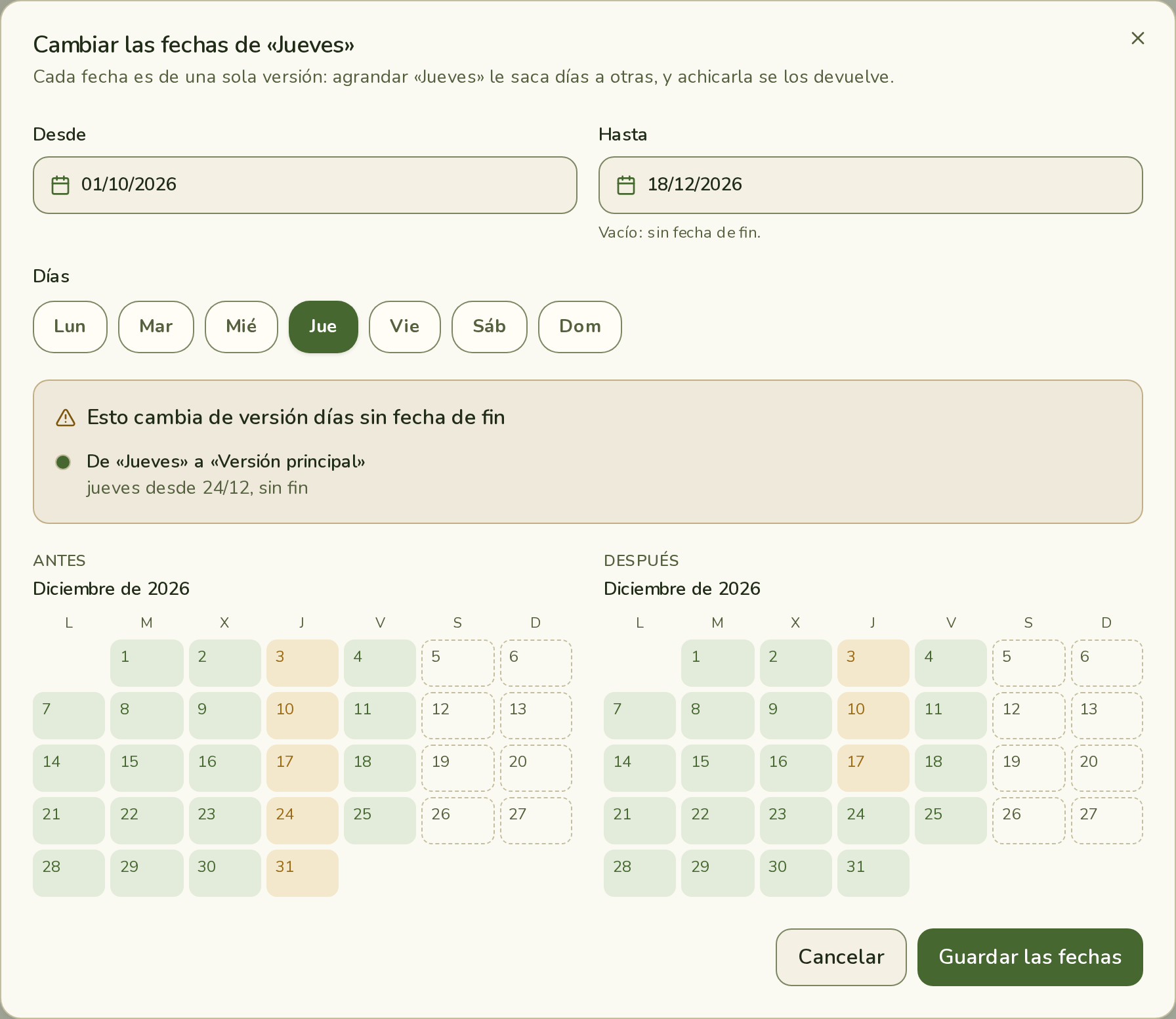
Dates
«Dates», next to each version, changes its days. Each date belongs to a single version: growing one takes days from others, and shrinking it gives them back. Before saving you see which days change version, and the month before and after.
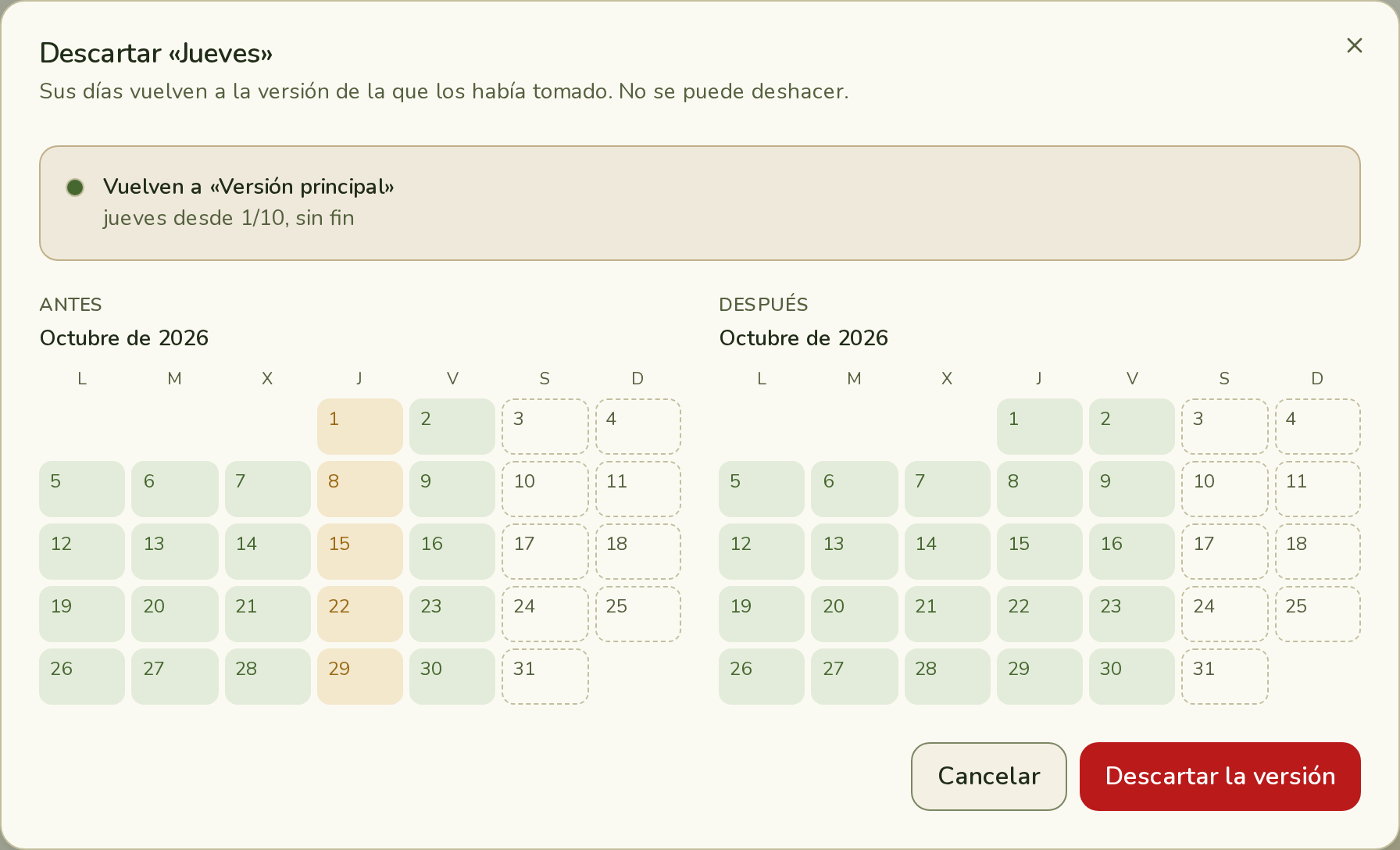
Discard
A version's bin discards it: its days go back to the version they came from. It cannot be undone. The main version cannot be discarded.
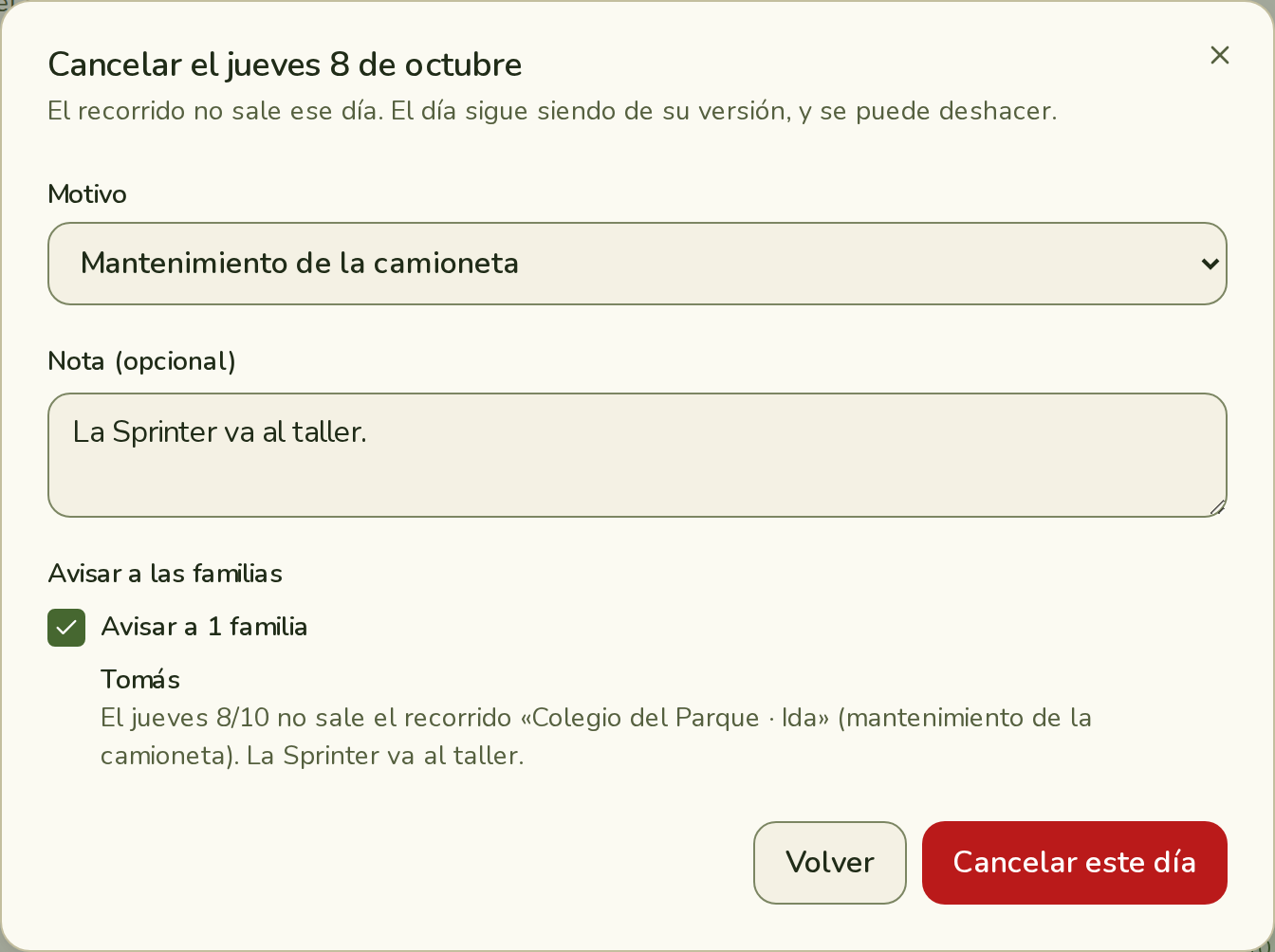
Cancel this day
If the route does not run one day (a holiday, the garage, bad weather), you do not need a version: «Cancel this day», with the reason. The day stays in its version, the families are told, and it can be undone.
The day shows as cancelled, with «Undo» at hand.

Worth knowing
The Vanu Driver app has the same: on the route, pick the day and use «Edit this day» or «Cancel this day». «Versions» and «New version» are on the route page.
Duplicating is not the same. «Duplicate» creates another route, with its own name and assignments. A version is still the same route, with the same people and the same vehicle.
Family requests you approve (an absence, another address for a day) apply on top of that day's version. You do not need a version for them.
A driver who works for the company without managing it can change or cancel only the days assigned to them, and each change only for that day.